


Telehealth Services
Phone/Video Visits
You can now have your medical visit by phone or video chat!
At Neighborhood Health, we make it easy to get the care you need without coming into the clinic. Our phone and video visits let you talk with our caring healthcare professionals from wherever you are. It’s simple to schedule and can be set up at a time that works best for you.
Your privacy matters. We use Doximity, a secure online system that keeps your personal information safe during every visit. Contact us today to learn more about how virtual care can work for you.

Phone Visits
When you call us at 615-227-3000, we will set up an appointment for you to speak with your provider.
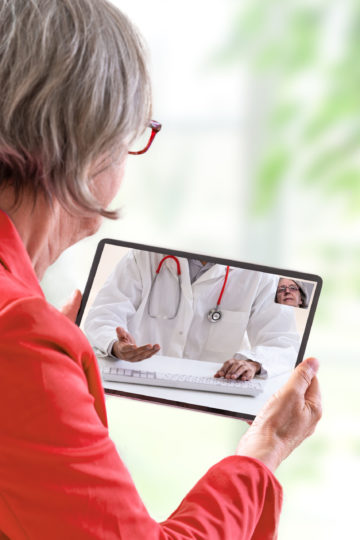
- You will receive a phone call from a customer service representative 15 minutes before your appointment.
- This may be a number or area code you don’t recognize. Please answer the call. Please keep your phone on and close to you.
- The customer service representative will help complete your registration.
- Your provider will join the call after the customer service representative checks you in.

Video Visits
When you call us at 615-227-3000, we will set up an appointment for you to speak with your provider using a program called Doximity.
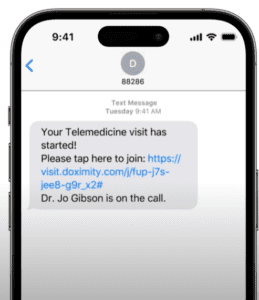
Doximity will work inside of your browser or on your smart phone.
Follow the Video Visits How-To instructions below.
Video Visits How-To:
- When it’s time for your video visit, you’ll receive a text message from your clinician. This will be from an “88286” phone number.
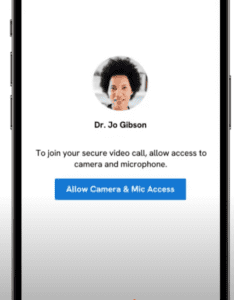
- To join the video call, tap the link.
- You MUST tap “Allow Camera & Microphone Access.”
- Then you’ll be prompted to tap “Allow.”
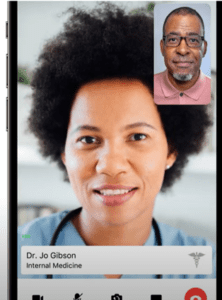
- Now you’ll be brought into the video call, and your clinician will see you there OR they’ll be notified of your arrival.
- Turn your video on and off “Stop”
- Mute your microphone “Mute”
- Flip your camera if you need to show something to your clinician “Flip”
- Send messages to your clinician during your appointment “Chat”
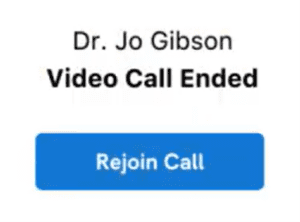
- Once your visit is complete, end your video call “End”